Clean up in minutes, not hours.
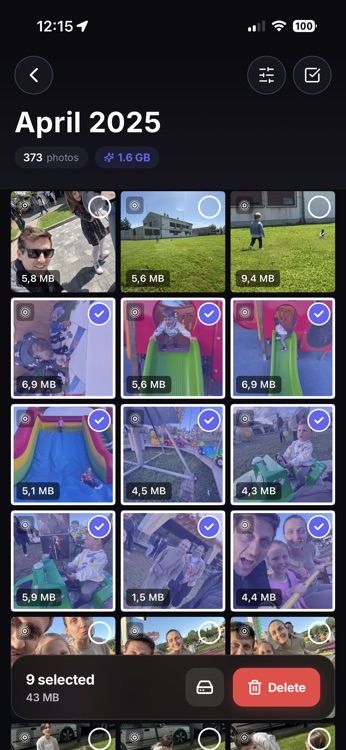
Bulk select entire months. Check hundreds of photos with one tap. Delete in seconds. Watch the storage bar go down.
The "Storage Almost Full" panic
You can't take photos. You can't download apps. You open Photos and see 15,000 images. Where do you even start?
The Warning
"Cannot Take Photo"
The Confusion
15,000 photos, no idea where to start
The Time Sink
Selecting photos one by one takes hours
How to clean up in minutes
Photo Trim makes bulk cleanup fast, visual, and safe.
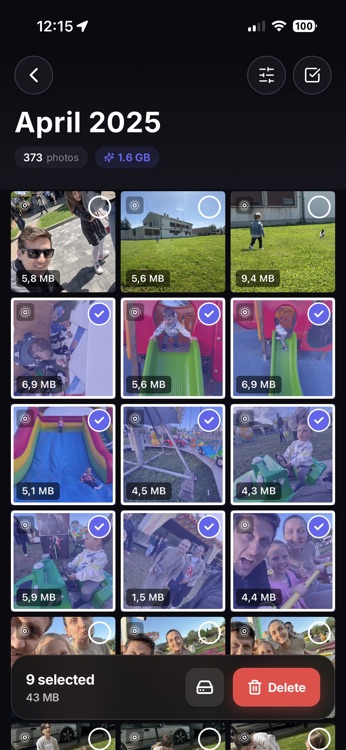
Select entire months with one tap
Don't tap 500 times. Tap the month header to select everything. Or swipe to select rows. Our smart selector helps you grab big chunks of clutter instantly.
- Tap section header — Select entire month
- Tap individual — Add/remove from selection
- Selection count always visible at bottom
See exactly what you're deleting
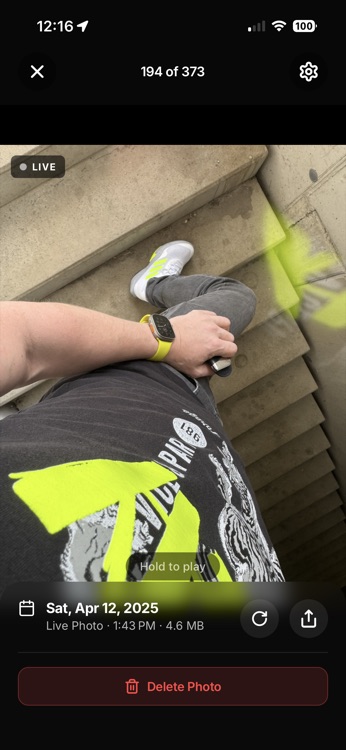
No guessing. Tap the eye icon to see a slideshow of everything you've selected. Swipe through to double-check. Safe, confident cleanup.
- Full-screen photo preview
- Long-press for quick peek
- Video playback included
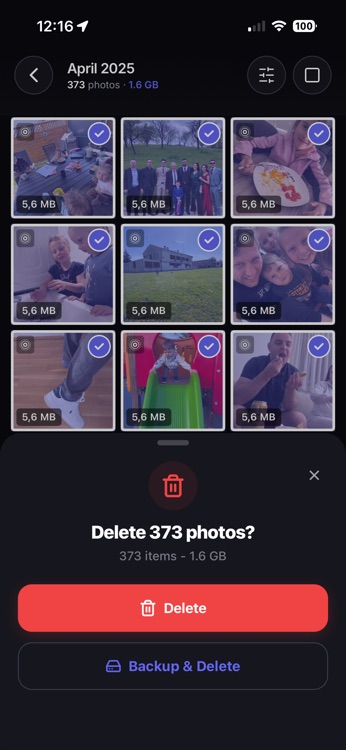
Delete and reclaim space
One tap to delete. Watch your storage bar go down in real-time. It's incredibly satisfying.
Sort by size to find storage hogs
Find your biggest storage hogs instantly. Sort by file size to see which photos and videos are eating the most space. Maximum impact per deletion.
- Largest files surface first
- Find that 2GB video you forgot about
- Delete 10 items, free 5GB
Largest files first. Storage hogs exposed.
30-day safety net
Deleted something by mistake? No problem. All deleted photos go to the Recently Deleted album, where they stay for 30 days before permanent removal. You can recover anything during that window.
Nothing is truly gone
30 days to recover any mistake
Ready to try it?
Download Photo Trim and experience the difference.
Download Photo TrimFree to try • €5.99 for Pro • No subscription