The browsing experience your photos deserve.
Other apps rush you to delete. We give you 120fps smooth scrolling, filters you can combine, and the clarity to make confident decisions. You'll actually enjoy browsing your library.
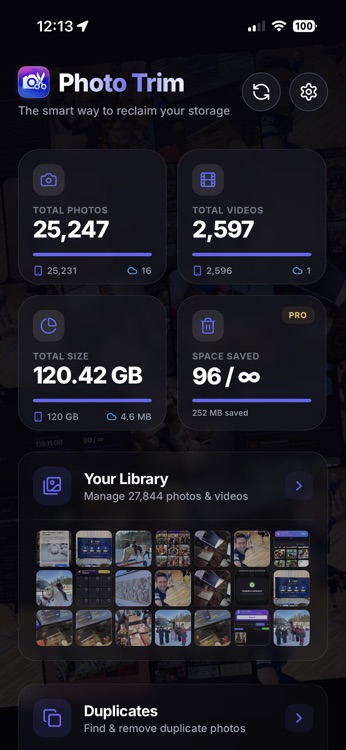
Why experience matters
Every cleanup app sells "quick delete." But how do you know what to delete if you can't see your library clearly?
Other Apps
- Show a scary number and "Clean All" button
- Laggy, web-based scrolling that stutters
- Basic filters that don't combine
- No idea what's local vs stored in iCloud
Photo Trim
- Browse first, understand, then decide
- 120fps native Swift scrolling — buttery smooth
- Type + Date + Source filters combined
- See exactly where every photo lives
How to browse like a pro
Learn to use Photo Trim's powerful browsing features to understand your library.
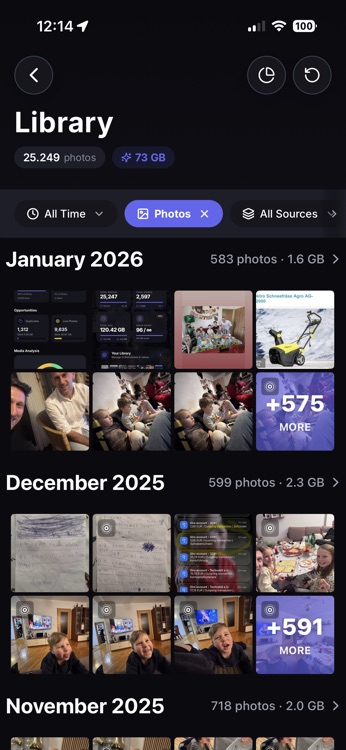
Tap "Library" to browse all photos
Open Photo Trim and tap the Library tab. You'll see all your photos organized by month/year with instant thumbnail loading. Start scrolling — notice how smooth it feels.
Pro tip: The Library view shows photos grouped by month. Each section header shows the count and "Select All" button.
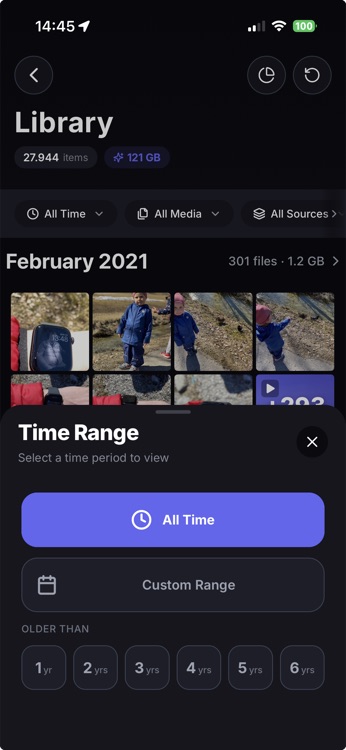
Combine filters to find exactly what you need
Tap the filter icon to open the filter panel. Unlike Apple Photos, you can combine multiple filters. Want "Screenshots from 2023 stored on iCloud"? No problem.
Example: Find all screenshots from 2023 stored in iCloud
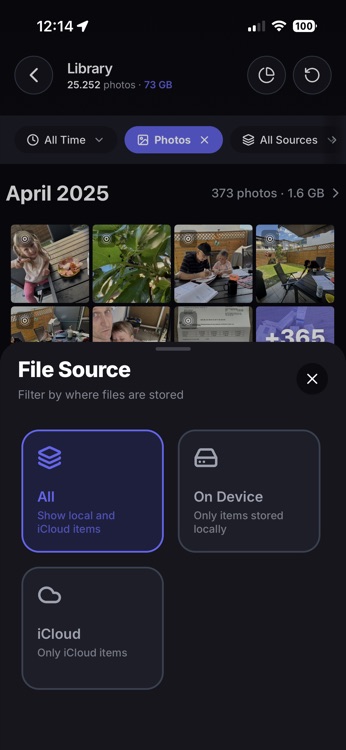
See what's local vs what's in the cloud
No other cleanup app shows this. Photo Trim tells you exactly which photos are stored on your device versus in iCloud. Know what you'll lose access to without WiFi.
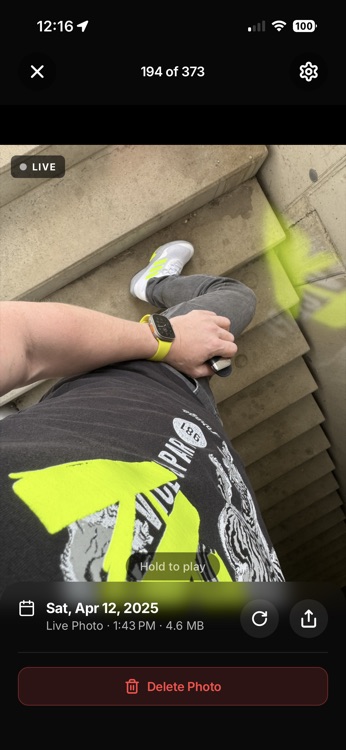
Tap to select, long-press to preview
Navigate your library with speed. Tap photos to select them for actions. Long-press any photo to open the full-screen viewer.
- Tap — Select item
- Long-press — Full-screen preview
- Pinch — Zoom details (in preview)
What makes Photo Trim different
Built with native Swift for performance that web-based apps simply can't match.
120fps butter-smooth scrolling
Built with native Swift, Photo Trim scrolls faster than Apple's own Photos app. No lag, no stuttering, no waiting. Scroll through 15,000 photos like butter.
- Native Swift engine, not web-based
- Optimized for ProMotion displays
- Instant thumbnail loading
2x smoother than most apps running at 60fps
Example Query
Result: 847 screenshots from 2023 stored in iCloud
Filters that actually combine
Apple's Photos can't show you "screenshots from last year on iCloud." Photo Trim can. Combine any filters together to find exactly what you're looking for.
- Media type: Photos, Videos, Screenshots, Live Photos
- Time range: Presets or custom dates (Pro)
- Source: Device, iCloud, or both
The result? Confident cleanup.
When you can browse smoothly, filter precisely, and preview clearly, deletion stops feeling scary. You understand your library. You make confident decisions. You actually enjoy the process.
That's an experience no other app offers.
Ready to try it?
Download Photo Trim and experience the difference.
Download Photo TrimFree to try • €5.99 for Pro • No subscription